
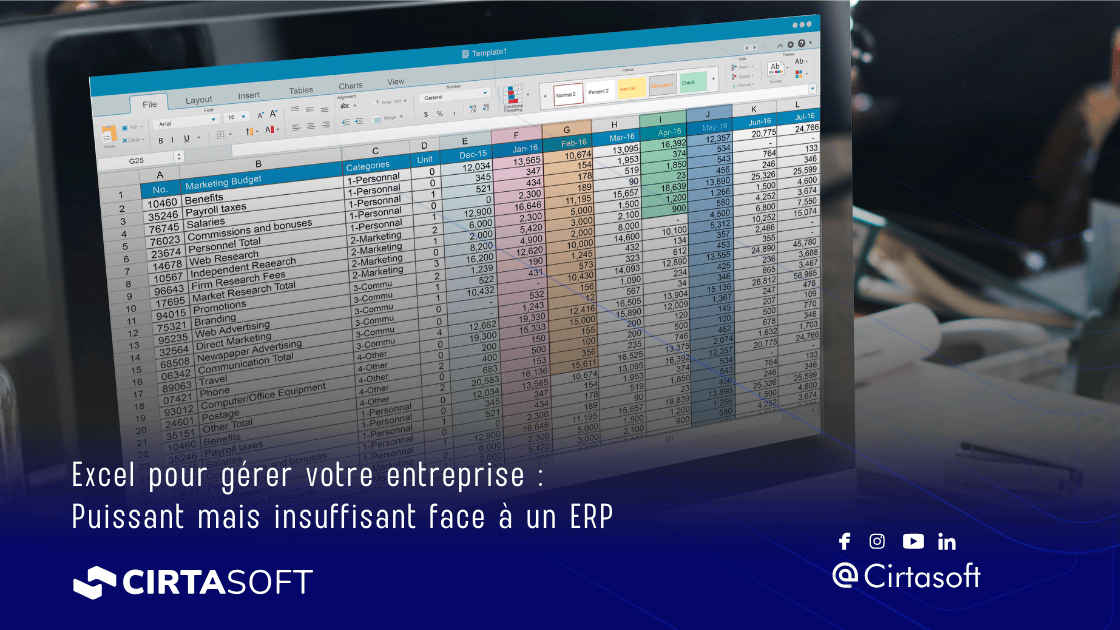
Excel for Managing Your Business: Powerful but Insufficient Compared to an ERP
For decades, Microsoft Excel has been the go-to tool for businesses to manage their data, track their finances, plan their production and run their operations. Accessible, flexible and familiar, it has established itself as the Swiss army knife of the office. Yet, as companies grow and their processes become more complex, Excel's limitations are becoming increasingly glaring. This article offers a comprehensive overview of Excel's uses in business, its undeniable strengths, but also its structural flaws — and how an ERP can take over to support your growth.
Excel in business: a universal tool with many faces
Why Excel has established itself across all departments
Launched in 1985, Excel has gradually conquered all business functions. Its popularity stems from several fundamental reasons: it is included in the Microsoft Office suite, present on almost every workstation, and requires no specialized training for basic use. From accountants to logistics managers, HR teams and salespeople, everyone "does Excel".
The tool offers near-total freedom in building tables, formulas and charts. This flexibility is precisely what makes it such a popular tool: each user can shape it to their needs, without depending on a developer or IT professional. It is also what makes it difficult to replace, even when its limitations are well known.
The most common uses of Excel in SMEs
In small and medium-sized enterprises, Excel is used at every stage of the company's life. It is found in accounting and financial management: cash flow statements, expense tracking tables, and forecast budgets. It is also used for stock management, with files recording incoming and outgoing goods. Sales teams use it for their in-house CRM, sales forecasts and performance tracking.
On the human resources side, Excel manages schedules, leave, simplified pay slips and HR dashboards. In production, it is used for manufacturing orders, quality tracking and capacity tables. In short, Excel is everywhere — sometimes where it shouldn't be.
Excel and large companies: a usage that persists nonetheless
One might think that large companies, equipped with powerful ERPs, have abandoned Excel. Not so. Even in CAC 40 groups, Excel files proliferate alongside official information systems. The reasons are many: speed of execution for a one-off need, circumventing an ERP deemed too rigid, or simply users' habits. This phenomenon, often called "shadow IT", represents a real risk for the consistency and reliability of enterprise data.
Excel's strengths: what it does really well
Infinite flexibility and customization
Excel's first strength is its plasticity. Unlike rigid business software, Excel imposes no structure on you. You can create exactly the table you need, in the form that suits you. This freedom is invaluable for ad hoc analyses, custom reports or financial simulations specific to your sector.
Formulas, pivot tables, VBA macros and now advanced features like XLOOKUP or Power Query allow you to build tools of remarkable power. In the hands of an expert user, Excel can simulate near-application behaviors, with interfaces, dropdown menus and advanced automation.
An effective analysis and visualization tool
Excel excels — if one can say so — in data visualization. The richness of its chart types, the ability to create interactive dashboards and the ease with which raw data can be transformed into compelling visual representations make it a formidable analysis tool. For a CFO who needs to present figures at a board meeting, Excel often remains the best ally.
The Power BI function, directly integrated into Excel in certain versions, pushes analytical capabilities even further. And native compatibility with other Microsoft tools like Teams, SharePoint or Power Automate makes it an effective component of a broader digital ecosystem.
A near-zero entry cost
For a small business or a startup, cost is often a decisive criterion. Excel is included in the Microsoft 365 license, which almost all companies already have. Its marginal cost is therefore zero. No implementation project, no long training or significant IT budget needed. A team member can create an operational tool in a few hours.
This initial saving is real and legitimate. For a company with fewer than 10 employees and simple processes, Excel can be perfectly sufficient for the first few years of activity. This is in fact what most young companies do before considering a more structured solution.
Excel's limitations: when the tool becomes a hindrance
The problem of reliability and human error
According to a study cited by the Financial Times, nearly 90% of spreadsheets containing more than 150 rows have at least one significant error. This figure, often mentioned in financial circles, illustrates a structural problem: Excel relies entirely on manual data entry and the rigor of each user. A cell incorrectly copied, a formula accidentally overwritten, a tab deleted by mistake — and the entire integrity of the data is compromised.
Famous financial disasters have been attributed to Excel errors, such as the JP Morgan affair in 2012 where an error in a spreadsheet reportedly contributed to a loss of several billion dollars. If such incidents can affect the world's largest financial institutions, no SME is immune.
Lack of traceability and access control
In an ERP, every action is traced, every modification is logged, and access rights allow fine control over who can see and modify what. In Excel, nothing of the sort. Anyone with access to the file can modify any data, without leaving a trace. In the event of an audit, dispute or tax inspection, the lack of traceability can be catastrophic.
The sheet protections offered by Excel are notoriously easy to bypass and do not constitute real security. They may discourage accidental modifications, but are absolutely not suited to professional use demanding data governance.
Collaborative work: a difficult promise to keep
Sharing an Excel file between multiple users is a well-known source of conflicts. Even with the co-editing features introduced in Microsoft 365, problems persist: who has the correct version? Who overwrote whose data? How to consolidate modifications from several people working simultaneously on different tabs?
The famous "Budget_v3_FINAL_bis_2.xlsx" file circulating by email has become a meme in the business world — but it is also a daily reality for thousands of teams. This version anarchy has a real cost: wasted time, consolidation errors, decisions made based on outdated data.
Scalability: Excel doesn't grow with you
Excel has well-documented technical limitations: 1,048,576 rows and 16,384 columns per sheet. While these limits may seem wide at first glance, they quickly become constraining for companies managing millions of transactions, order lines or stock entries.
Beyond the technical limits, it is above all the operational complexity that poses a problem. As the company grows, the number of files, tabs, nested formulas and interconnections between workbooks explodes. Maintaining the consistency of this ecosystem becomes a full-time job, a source of errors and frustration.
Lack of business process automation
Excel is a data processing tool, not a process management tool. It cannot automatically trigger a supplier order when stock reaches a critical threshold. It cannot send an alert to the sales manager when a quote has gone unanswered for 15 days. It cannot calculate in real time the gross margin of a deal by integrating variable production costs.
These automations, which may seem trivial, actually represent hours of work saved each week. This is precisely what ERPs do — and it is one of the main reasons why growing companies end up adopting them.
Excel vs ERP: understanding the fundamental difference
What exactly is an ERP?
An ERP (Enterprise Resource Planning) is a software system that centralizes all of a company's management processes in a single, consistent database. Unlike Excel, an ERP is designed to manage complex workflows, automate repetitive tasks and provide a real-time view of the company's activity.
ERP modules typically cover accounting and finance, purchasing, stock and warehouse management, production (for manufacturers), commercial management and customer relations, human resources and payroll. All these functions share the same database: when a salesperson enters an order, stock is automatically updated, accounting is alerted and production can plan its resources.
What an ERP does that Excel cannot
The fundamental difference between Excel and an ERP does not lie in features, but in architecture. An ERP is a transactional system: each entry triggers a chain of automatic events. Validating a supplier invoice updates the accounting, impacts the cash flow forecast, updates the supplier account and can trigger a payment. Nothing of the sort is possible in Excel.
An ERP also provides full traceability. Who did what, when, and why — every action is recorded in an audit log. In the event of a tax inspection or internal audit, all information is available, verifiable and non-alterable. This is a legal requirement for many companies, particularly those subject to international accounting standards.
The signals that indicate it is time to move to an ERP
How do you know when Excel is no longer sufficient? Several warning signals should alert you. You are spending more and more time consolidating data rather than analyzing it. You regularly have doubts about the reliability of your figures. Your teams work in silos, each with their own version of the truth. You struggle to produce accurate reports in a reasonable time. Your growth is hampered by lack of visibility on your margins, stock or production capacity.
As a general rule, experts agree that a company that exceeds 15 to 20 employees, manages several hundred product references or achieves more than one million euros in turnover is starting to reach Excel's structural limits. This is often the stage at which thinking about an ERP becomes necessary.
Transitioning from Excel to an ERP: a practical guide
Preparing your Excel data migration
One of the first concerns when undertaking an ERP project is data migration. Years of data accumulated in Excel files, with their heterogeneous formats, duplicates and inconsistencies, represent a formidable challenge. The good news is that most ERP vendors have developed proven tools and methods for importing data from Excel.
The key to a successful migration is preparation upfront. Before beginning ERP implementation, you need to clean, normalize and validate the source data. This is an opportunity to tidy up your customer, supplier, product and accounting references. An ERP project is always an opportunity to put your data in order.
Training teams and managing change
The greatest risk in an ERP project is not technical — it is human. Resistance to change is a reality in all organizations. Users accustomed to their personal Excel may have difficulty adopting a tool that imposes new constraints and discipline. It is essential to invest in training and change management.
Team members must understand not how to use the ERP, but why it will improve their daily work. Less manual re-entry, fewer errors, less time spent consolidating data — these are concrete benefits that can convince even the most reluctant. Involving future users from the configuration phase is also a key success factor.
Choosing the right ERP for your company
The ERP market is vast and heterogeneous. It includes generalist solutions like GestiumERP, SAP, Oracle or Microsoft Dynamics on one side, and specialized sector-specific solutions on the other. For an industrial SME, an ERP designed specifically for the manufacturing industry will often be more suitable than a generic solution, as it natively integrates production management, capacity planning and traceability features specific to that sector.
The choice of an ERP must take into account several criteria: functional coverage (does the ERP meet your specific business needs?), ease of use (is the interface intuitive for your teams?), total cost of ownership (license, implementation, maintenance, training), and the vendor's ability to support you over the long term. An ERP is a strategic investment that commits you for several years.
ERP and Excel: a possible and even desirable coexistence
Excel as a complementary reporting and analysis tool
Adopting an ERP does not mean abandoning Excel. The two tools can coexist productively, provided their respective roles are clearly defined. The ERP is the reference system for entering transactional data and managing processes. Excel remains a valuable tool for ad hoc analysis, creating custom reports and financial simulations.
Most modern ERPs offer native connectors with Excel, allowing data to be extracted in real time from the ERP and used in Excel dashboards. This is the best of both worlds: the reliability and traceability of the ERP, combined with the analytical flexibility of Excel.
APIs and connectors: when ERP and Excel work together
Modern ERPs, particularly cloud solutions, offer APIs (application programming interfaces) that allow third-party tools — including Excel via Power Query — to connect directly to the ERP database. This integration allows Excel tables to be automatically fed with fresh data, without manual re-entry.
Power BI, Microsoft's Business Intelligence tool, can also connect to an ERP to create dynamic and interactive dashboards. This ERP + Power BI combination is now very common in companies that want to retain the analytical power of the Microsoft ecosystem while benefiting from the robustness of an ERP.
Defining clear data governance
The key to a successful coexistence between ERP and Excel lies in data governance. Clear rules must be defined: which data is entered in the ERP (and nowhere else), which analyses can be done in Excel, and how to ensure that Excel data always comes from the ERP and is not entered manually.
This governance must be formalized in a charter or internal policy, and must be respected by all users. This is a sine qua non condition to prevent the company from falling back into the pitfalls of parallel "Excel management", with all the risks that implies.
Conclusion: Excel, a starting point — ERP, a destination
Excel has provided immense service to businesses for more than thirty years, and will continue to do so for analytical needs and one-off uses. But its very nature — an infinitely customizable data processing tool — makes it structurally unsuited to managing the processes of a growing company.
The risks of error, the lack of traceability, collaboration difficulties and the lack of automation are not flaws that Excel could one day correct: they are inherent to its design. An ERP, on the other hand, is designed precisely to address these challenges.
If you are still managing your business primarily under Excel, ask yourself the right questions: how many hours do your teams spend consolidating and verifying data? How many errors have you corrected in recent months? How quickly can you produce a reliable dashboard of your activity? The answers to these questions will tell you whether the time has come to make the move to an ERP.
The transition may seem complex and costly, but the benefits — in terms of data reliability, operational efficiency and the ability to make better decisions — more than justify the investment. Companies that have made this choice almost all report the same finding: they regret not having done it sooner.